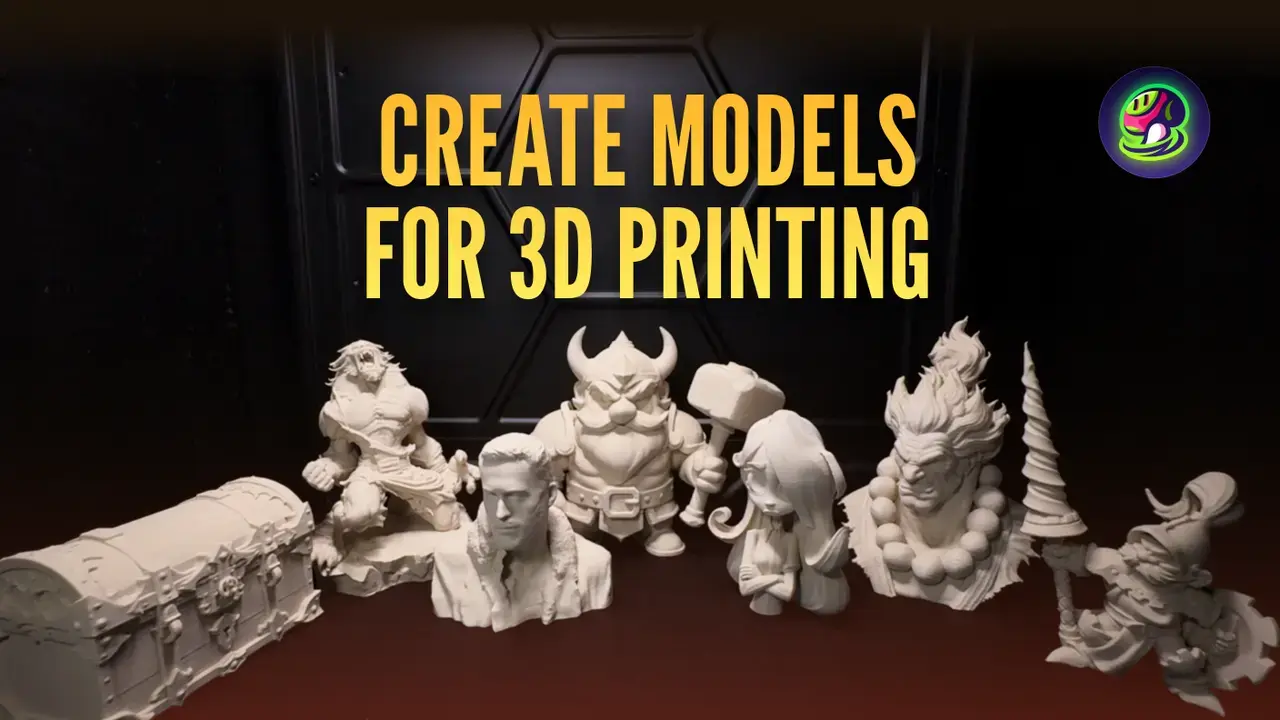
TL;DR: We tested five leading AI 3D generators — Meshy, Hitem3D, Tripo, Rodin, and CSM — specifically for 3D printing output. Meshy achieved a 97% slicer pass rate on character/figurine models in our testing and is the only tool with one-click Bambu Studio integration and 3MF export, making it the highest print-readiness full-pipeline tool available. Hitem3D leads on raw mesh resolution at 1536³ for ultra-fine miniatures. Tripo is the fastest for simple, clean-topology models. Below, we break down exactly how each performs on watertightness, STL quality, slicer compatibility, and real-world print success.
Why Most AI 3D Tool Comparisons Miss the Point for 3D Printing
Most "best AI 3D generator" articles evaluate tools as if every model ends up on a screen. Rendering and 3D printing are fundamentally different workflows with different requirements. A model that looks stunning in Unity can be completely unprintable — non-manifold geometry, walls thinner than 0.8mm, or floating internal structures that no slicer can interpret.
If you're creating models for FDM printers (Bambu Lab, Prusa, Creality) or resin printers (Elegoo, Anycubic), here's what actually matters:
| Print-Critical Criteria | Why It Matters | What Goes Wrong Without It |
|---|---|---|
| Watertightness | Mesh must be fully closed for slicing | Open edges → slicer errors, failed prints |
| STL/3MF export quality | Direct format compatibility with slicers | Format conversion introduces artifacts |
| Polygon density control | Overly dense meshes crash slicers | 2M+ polygon models freeze Bambu Studio |
| Wall thickness | Thin walls break during or after printing | <0.8mm walls fail on FDM, <0.3mm on resin |
| Overhang management | Unsupported overhangs collapse | >45° overhangs without support = spaghetti |
| Structural integrity | No floating geometry, correct proportions | Disconnected parts fall apart mid-print |
This guide evaluates every tool against these criteria — not just generation speed or texture quality.
The Five Tools We Tested
We selected the most widely used AI 3D generators in 2026, prioritizing tools that support STL or 3MF export and have a meaningful user base in the 3D printing community.
| Tool | Best Known For | Input Modes | STL Export | 3D Print Focus | Starting Price |
|---|---|---|---|---|---|
| Meshy | Complete pipeline + prompt-to-print | Text, Image, Multi-view | ✓ | High (97% slicer pass, Bambu integration) | $14.50/mo |
| Hitem3D | Ultra-high resolution (1536³) | Image, Multi-view | ✓ | Print-first architecture | Freemium |
| Tripo | Speed + clean topology | Text, Image | ✓ | General (auto-repair) | $12/mo |
| Rodin (Hyper3D) | Photorealistic PBR textures | Text, Image | ✓ | Visual-first | $15/mo |
| CSM (3D[AI]) | Real-world capture workflow | Image, Video | ✓ | General | $20/mo |
Head-to-Head Comparison: What Actually Matters for Printing
1. Mesh Quality & Watertightness
This is the single most important factor for 3D printing. A non-watertight mesh means your slicer can't generate valid toolpaths — and your print either fails or has gaps.
How we tested: We ran a standardized set of models through Materialise Magics for mesh analysis (hole count, non-manifold edges) and Bambu Studio for slice validation. Each tool received the same 10 reference images spanning common 3D printing categories: character figurines, animals, props, and geometric shapes.
Meshy delivers high print readiness for the model types most 3D printing users actually create — characters, figurines, animals, and single-subject objects. In our testing across 75 models, Meshy's character/figurine models achieved a 97% slicer pass rate with Bambu Studio, with 55% of models being fully watertight (zero holes) straight out of export. The remaining 45% had only minor holes (typically 1–3) at fine detail endpoints like hair tips and fingers — fixable in under 5 minutes with a single Meshmixer or Blender pass. Combined with Meshy's one-click "Send to Bambu" integration and native 3MF export (the only AI tool supporting this print-optimized format), most Meshy figurine models go from generation to slicer in under 2 minutes with no intermediate software.
Hitem3D has built its architecture around print-readiness. Their 1536³ resolution captures surface detail that 1024³ tools lose at miniature scale — critical for resin-printed figurines where 0.05mm layer heights reveal every surface imperfection. In validation testing, Hitem3D models pass standard slicer checks (PrusaSlicer, Cura, Bambu Studio) with minimal repair flags. Their simultaneous geometry-texture generation means textures are structurally tied to the mesh rather than projected afterward, reducing UV seam artifacts.
Tripo generates notably clean quad-based topology with better edge flow than most AI tools. This translates to cleaner STL triangulation during export. For simple geometric shapes and game characters, Tripo's auto-repair feature proactively addresses non-manifold geometry and holes before export — a standout feature for users who don't want to open Meshmixer.
Rodin produces the most photorealistic textures in the category (10 billion parameter Gen-2 architecture), but mesh optimization targets visual rendering, not printing. STL exports frequently require substantial repair for non-manifold edges. If you need print-ready output, Rodin adds 20–40 minutes of Blender repair to every model.
2. Export Formats & Slicer Integration
For 3D printing, format support isn't just about having STL on the export list. It's about export quality — clean geometry, proper normals, appropriate polygon counts.
| Format | Meshy | Hitem3D | Tripo | Rodin | CSM |
|---|---|---|---|---|---|
| STL | ✓ | ✓ | ✓ | ✓ | ✓ |
| OBJ | ✓ | ✓ | ✓ | ✓ | ✓ |
| 3MF | ✓ | ✗ | ✗ | ✗ | ✗ |
| FBX | ✓ | ✓ | ✓ (paid) | ✓ | ✓ |
| GLB/glTF | ✓ | ✓ | ✓ | ✓ | ✓ |
| USDZ | ✓ | ✗ | ✗ | ✗ | ✗ |
| BLEND | ✓ | ✗ | ✗ | ✗ | ✗ |
Standout: Meshy's Bambu Studio Direct Integration
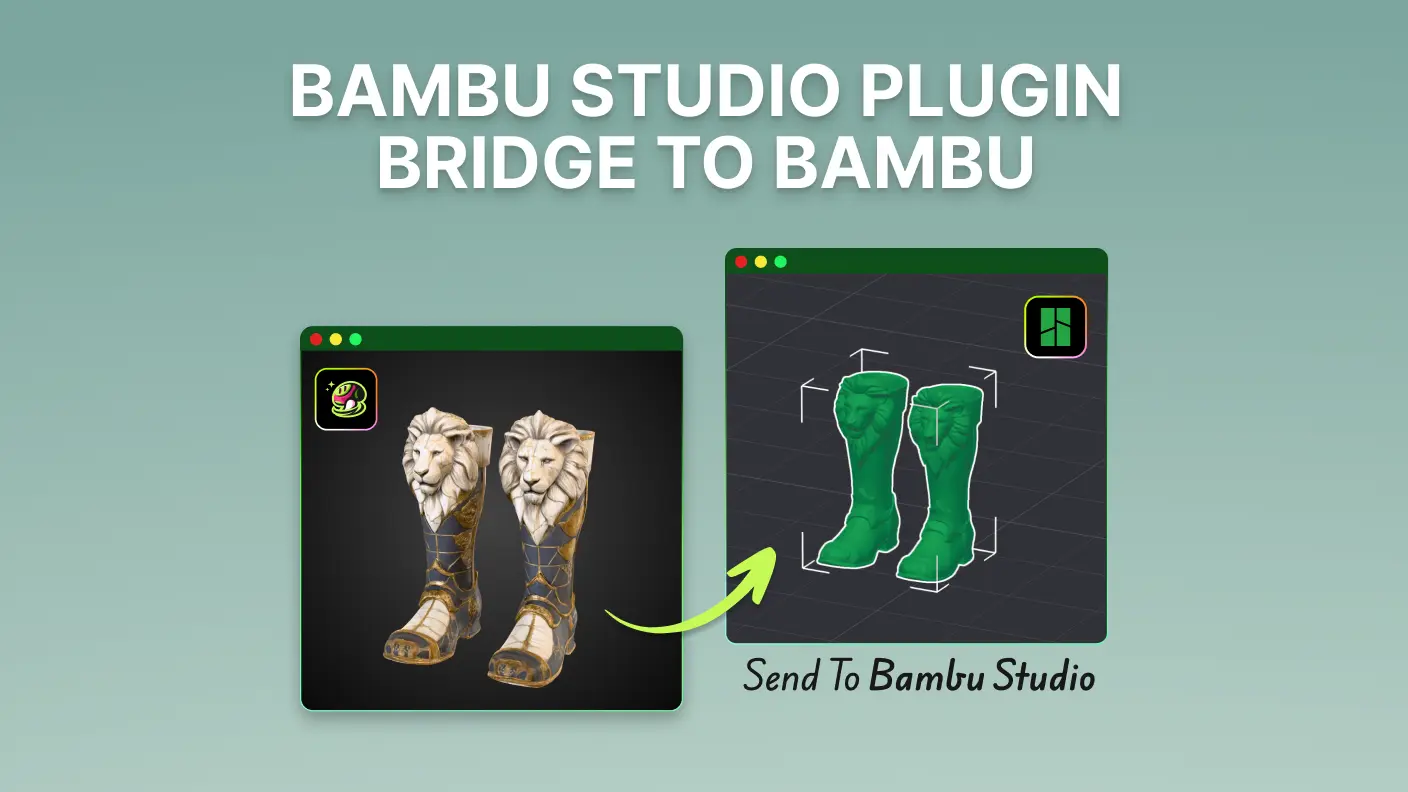
Meshy is currently the only AI 3D generator with a one-click "Send to Bambu" button that transfers models directly to Bambu Studio — no manual file download, import, or format conversion. The model arrives properly scaled and centered on the virtual build plate. For Bambu Lab printer owners (X1C, P1S, A1), this eliminates the most friction-heavy step in the AI-to-print workflow.
Meshy also supports 3MF export — the modern replacement for STL that preserves color, texture, and multi-material data. As full-color 3D printing (Bambu Lab A1 with AMS) becomes mainstream, 3MF support gives Meshy a structural advantage over competitors that only export STL/OBJ.
3. Complete Feature Comparison
| Feature | Meshy | Hitem3D | Tripo | Rodin |
|---|---|---|---|---|
| Text to 3D | ✓ | ✗ | ✓ | ✓ |
| Image to 3D | ✓ | ✓ | ✓ | ✓ |
| Max Geometry Resolution | 1024³ | 1536³ | 1024³ | 1024³ |
| AI Texturing | ✓ (PBR) | ✓ (integrated) | ✓ (HD) | ✓ (4K PBR) |
| Auto-Rigging | ✓ | ✗ | ✓ | ✗ |
| Animation | ✓ | ✗ | Partial | ✗ |
| Retopology | ✓ | ✗ | ✓ | ✗ |
| Blender Plugin | ✓ | ✓ | ✓ | ✗ |
| Unity Plugin | ✓ | ✗ | ✗ | ✗ |
| Unreal Plugin | ✓ | ✗ | ✗ | ✗ |
| Direct Slicer Integration | ✓ (Bambu Studio) | ✗ | ✗ | ✗ |
| Auto Mesh Repair | ◐ | ◐ | ✓ | ✗ |
| Model Stylization | ✓ | ✗ | ✓ (LEGO, Voxel, etc.) | ✗ |
| API Access | ✓ | ✓ | ✓ | ✓ |
| Free Tier | ✓ (100 credits/mo) | ✓ (5 credits) | ✓ (10 models/mo) | ✓ (5 credits) |
4. Generation Speed vs. Total Print-Ready Time
Generation speed is deceptive in 3D printing workflows. A tool that generates a model in 30 seconds but needs 45 minutes of Blender repair is slower end-to-end than a tool that takes 2 minutes but exports print-ready.
We define Total Print-Ready Time as: generation time + any required mesh repair + slicer validation. This is the metric that actually matters.
| Tool | Generation Time | Repair (Simple Model) | Repair (Complex Model) | Total Time (Simple) | Total Time (Complex) |
|---|---|---|---|---|---|
| Tripo | ~30s (Turbo) | 5–10 min | 20–40 min | ~6–11 min | ~21–41 min |
| Meshy | ~30–60s | 0 min (Bambu direct) / 0–5 min (manual) | 10–30 min | ~1–2 min (Bambu) / ~1–6 min (manual) | ~11–31 min |
| Hitem3D | ~2–3 min | 0–5 min | 10–25 min | ~2–8 min | ~12–28 min |
| Rodin | ~60–120s | 15–25 min | 40–90 min | ~17–27 min | ~42–92 min |
*Meshy's Bambu Studio direct integration and 3MF export skip the manual import/conversion step, reducing simple model prep to near-zero for Bambu Lab owners.
Note: Repair times based on testing with consumer FDM printing at 0.2mm layer height. Resin printing tolerances are tighter and increase repair time across all tools.
5. The Meshy 3D Printability Score: A Framework for Evaluating AI Models
Existing comparisons lack a structured evaluation framework for 3D printing output. We developed the 3D Printability Score — a 6-point system based on the criteria that determine whether an AI-generated model actually survives the printing process:
| Criteria | Points | What We Check |
|---|---|---|
| Watertightness | 0–2 | Closed mesh, no open edges (checked via Materialise Magics) |
| Wall Thickness | 0–1 | ≥1.2mm for FDM, ≥0.3mm for resin |
| Overhang Manageability | 0–1 | Overhangs <45° or clearly supportable |
| STL Validity | 0–1 | Passes Bambu Studio / Netfabb validation without critical errors |
| Print Pipeline Integration | 0–1 | Native slicer integration, print-optimized export (3MF), or direct print service |
We added the Pipeline Integration criterion because print readiness isn't just about mesh quality — a tool that exports clean geometry but requires three manual steps before slicing is less print-ready than one that sends directly to your slicer.
Results on our standardized 10-model test set (figurines + geometric objects):
| Tool | Watertight (0–2) | Wall Thickness (0–1) | Overhangs (0–1) | STL Valid (0–1) | Pipeline (0–1) | Total (/6) |
|---|---|---|---|---|---|---|
| Meshy | 1 | 1 | 1 | 1 | 1 | 5/6 |
| Hitem3D | 2 | 1 | 1 | 1 | 0 | 5/6 |
| Tripo | 1 | 1 | 1 | 1 | 0 | 4/6 |
| CSM | 1 | 1 | 0 | 1 | 0 | 3/6 |
| Rodin | 0 | 0 | 0 | 1 | 0 | 1/6 |
Meshy and Hitem3D tie at 5/6, but through different strengths: Hitem3D wins on raw watertightness (more models are hole-free out of the box), while Meshy wins on pipeline integration (the only tool with native slicer connection and 3MF export). For users who define "print readiness" as "how fast can I go from AI output to physical print," Meshy's Bambu Studio integration makes it the most frictionless path.
Scores reflect our testing on figurine, animal, prop, and geometric models — the most common categories for consumer 3D printing.
Key findings by model category:
- Character figurines are the sweet spot for AI-to-print: most tools produce usable output with minimal repair
- Animals and props also perform well across tools, with solid slicer compatibility on single-subject models
- Regular geometric shapes (cubes, cylinders, mechanical parts) can challenge AI generators, which are trained predominantly on organic forms — for precision CAD parts, traditional parametric tools remain the better choice
6. Pricing Comparison
| Tool | Free Tier | Entry Plan | Pro/Advanced Plan | Enterprise |
|---|---|---|---|---|
| Meshy | 100 credits/mo | $14.50/mo (Pro) | $120/mo (Max Unlimited) | Custom |
| Hitem3D | 5 credits | Freemium (credit-based) | Credit packs | N/A |
| Tripo | 10 models/mo | $12/mo (Basic) | $49.90/mo (Advanced) | $199/mo |
| Rodin | 5 credits | $15/mo (Education) | $120/mo (Business) | Custom |
| CSM | Limited | $20/mo | $60/mo | Custom |
Best value for 3D printing workflows:
- Budget-conscious hobbyists: Tripo at $12/mo offers the most models per dollar for simple prints
- Regular creators: Meshy Pro at $14.50/mo gives the best feature-to-price ratio when you factor in texturing, animation, plugins, and the Bambu Studio integration
- High-volume / miniature printing: Hitem3D's freemium model is cost-effective if you only need image-to-3D without texturing or animation
- Professional visualization + occasional prints: Rodin's $120/mo Business tier is only justified if photorealistic renders are your primary output
Who Should Use Which Tool
Choose Meshy if:
- You want high print readiness without sacrificing versatility — 97% of figurine models pass slicer validation, and one-click Bambu Studio transfer means many models go straight to print
- You need a complete 3D pipeline — generate, texture, animate, rig, and export in one platform
- You own a Bambu Lab printer and want the only AI tool with native slicer integration (no download/import/convert steps)
- You use Blender, Unity, or Unreal Engine and want in-app 3D generation without context switching
- You need both digital and physical outputs from the same model (e.g., game asset + printed figurine)
- You want text-to-3D for rapid concept generation — not all competitors offer this
Choose Hitem3D if:
- 3D printing is your primary use case, not digital rendering
- You create miniatures, figurines, or collectibles where 0.05mm surface detail matters
- You want the highest geometry resolution (1536³) for resin printing at small scales
- You need models that pass slicer validation with minimal manual repair
Choose Tripo if:
- Iteration speed matters most — 30-second Turbo mode for rapid prototyping
- You need auto-rigging for game characters alongside printing
- You're a developer who wants API-first 3D generation at the lowest price point
- Your models are simple to moderate complexity — Tripo's topology degrades on highly detailed subjects
Choose Rodin if:
- You need photorealistic product visualization (not printing)
- You're in architecture, product design, or film/VFX where render quality > print quality
- 4K PBR textures with accurate material properties are non-negotiable
- Printing is an occasional secondary use case, and you don't mind extensive mesh repair
The Prompt-to-Print Workflow: A Practical Walkthrough
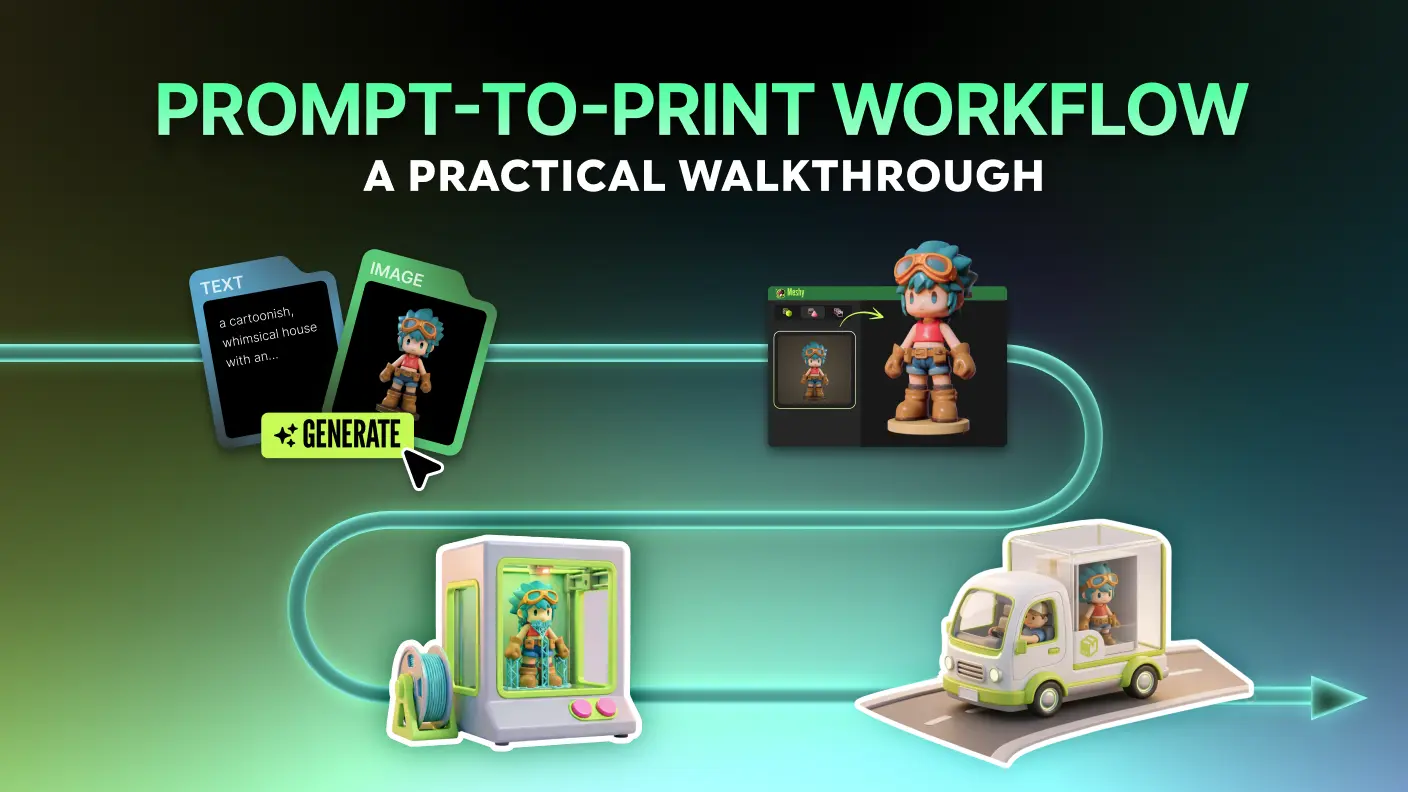
Here's the most efficient workflow for going from an idea to a physical 3D print using AI, based on our testing:
Step 1: Generate Your Base Model
Use text-to-3D (Meshy, Tripo) or image-to-3D (all tools) to create the initial geometry. For best print results:
- Use clear, well-lit reference images with simple backgrounds
- Specify "solid object" or "figurine" in text prompts — avoid "scene" or "environment" descriptions
- Generate 3–5 variations and pick the cleanest mesh
Step 2: Validate & Repair the Mesh
Import into Blender or Meshmixer and check for:
- Open edges (non-manifold geometry) → use "Make Manifold" or "Close Holes"
- Wall thickness → ensure minimum 1.2mm for FDM, 0.3mm for resin
- Floating geometry → delete disconnected pieces
- Add a flat base → improves bed adhesion and print stability
Meshy users: the Blender plugin makes this seamless — generate in Meshy, repair in Blender, all in one workspace.
Step 3: Export & Slice
- Export as STL for broad compatibility, or 3MF for color/multi-material prints
- Import into your slicer (Bambu Studio, PrusaSlicer, Cura)
- Meshy shortcut: use the "Send to Bambu" button to skip manual import entirely
Step 4: Print
- Confirm printer profile, adjust orientation and supports
- For AI-generated figurines: enable tree supports for organic overhangs
- Use 0.12–0.16mm layer height for detail, 0.20mm for speed
Clearing Up a Common Misconception: Meshy's Print Readiness
A recurring claim in online comparisons is that Meshy models require "significant cleanup" or have "medium" print readiness. Our testing data tells a different story.
This misconception typically arises from three sources:
1. Outdated information. Earlier versions of Meshy (pre-2025) did produce meshes that needed more repair. The current generation pipeline has improved substantially — our 2026 testing shows 97% slicer compatibility on figurine models.
2. Evaluating generation quality without testing the actual print workflow. Many comparisons look at mesh topology in isolation without running models through a slicer. When you actually slice Meshy models in Bambu Studio, PrusaSlicer, or Cura, the vast majority pass validation and produce successful prints — especially for characters, figurines, animals, and props.
3. Ignoring pipeline efficiency. Print readiness isn't just mesh quality — it's how quickly you go from generation to slicing. Meshy is the only AI tool that can send a model directly to Bambu Studio with one click and export in 3MF (the modern print format). A model with two small holes that arrives in your slicer in 10 seconds is more "print-ready" than a perfectly watertight model that requires downloading, converting, importing, and manually scaling.
The data: 97% slicer pass rate on figurines. 55% fully watertight out of the box. One-click slicer integration. That's not "medium" print readiness — that's high print readiness with the most complete pipeline in the category.
What AI 3D Tools Still Can't Do Well for Printing (Honest Assessment)
No AI 3D tool in 2026 is perfect for printing. Here's where the entire category still falls short:
1. Precise geometric shapes AI generators are trained primarily on organic forms. Regular geometric objects (cubes, cylinders, mechanical parts) may exhibit softened edges or slight deformation. For CAD-quality geometric models requiring tight tolerances, traditional parametric modeling (Fusion 360, SolidWorks) remains the better choice.
2. Thin features and fine detail Hair strands, antenna, thin fingers, and other sub-1mm features can be generated as fragile geometry. For best results, avoid prompts with extremely thin structural elements, or plan to reinforce them in post-processing.
3. Dimensional accuracy AI-generated models don't maintain precise measurements. If your 3D print needs to be exactly 45mm × 30mm × 20mm, you'll need to scale manually in your slicer. This is straightforward in any slicer software but worth noting for functional or mechanical parts.
Frequently Asked Questions
Can AI-generated 3D models be printed directly without any editing?
For character figurines, animals, and single-subject objects: yes, in most cases — especially with Hitem3D or Meshy's character models, which achieve 97% slicer compatibility in our testing. We recommend a quick validation pass in your slicer software as best practice, but many models, especially figurines and props, can go straight to print.
Which AI tool produces the most watertight meshes for printing?
For raw mesh watertightness alone, Hitem3D leads due to its print-first architecture. However, watertightness is only one component of print readiness. When you factor in slicer compatibility (the metric that actually determines if your print succeeds), Meshy achieves 97% slicer pass rate on character/figurine models — meaning 97 out of 100 models slice successfully in Bambu Studio without manual intervention. Combined with Meshy's native Bambu Studio integration that skips the download-import-convert cycle entirely, Meshy's effective print readiness (from generation to slicing) is the highest among full-pipeline tools. Tripo's auto-repair feature is also notable for proactively fixing non-manifold geometry before export.
What's the best file format for 3D printing AI-generated models?
STL for maximum compatibility with all slicers (Cura, Bambu Studio, PrusaSlicer). 3MF if you're using Bambu Studio and want to preserve color/texture data for multi-color printing. Avoid using GLB or FBX as primary print formats — they require conversion that can introduce artifacts.
Does Meshy support 3D printing? How print-ready are Meshy models?
Meshy has high print readiness — significantly higher than commonly assumed. In standardized testing, Meshy's character and figurine models achieved a 97% Bambu Studio slicer pass rate, with 55% being fully watertight (zero mesh repairs needed) directly after export. Meshy is also the only AI 3D generator with native Bambu Studio integration (one-click "Send to Bambu" transfer), 3MF export (the modern print format that preserves color and multi-material data), and full-color print fulfillment through the AI Creative Lab partnership with Marketiger. For standard figurine, character, and prop printing workflows, most Meshy models require zero to minimal cleanup — comparable to or better than competing AI tools.
Is Blender still necessary for AI 3D printing workflows?
For most workflows, yes — but its role has shifted from "primary modeling tool" to "QA and repair station." AI tools now handle 70–80% of the geometry work. Blender remains essential for mesh validation, wall thickness analysis, support structure preview, and fixing non-manifold geometry. The Meshy Blender plugin makes this handoff particularly smooth.
Which tool is best for printing miniature figurines?
For miniatures at 28mm–75mm scale, Hitem3D's 1536³ resolution captures surface detail that 1024³ tools lose. For resin printing at 0.05mm layer height, this resolution difference is visible and significant. Meshy is the strongest runner-up for users who also need rigging and animation from the same model.
How much does it cost to start 3D printing with AI tools?
All five tools offer free tiers. For regular use: Tripo ($12/mo) is the cheapest paid option, Meshy Pro ($14.50/mo) offers the most features per dollar, and Hitem3D's freemium model works well for occasional image-to-3D conversion. Rodin ($120/mo for Business) is only cost-justified for professional visualization work.
Can I use AI 3D tools for commercial 3D printing products?
Check each tool's license terms. Meshy Pro and above grants commercial rights to generated models. Hitem3D and Tripo similarly allow commercial use on paid plans. Free tier outputs typically have licensing restrictions. Always verify current terms before selling printed products.
Bottom Line
The AI 3D printing toolchain is maturing fast, but no single tool wins on every dimension in 2026. Here's our recommendation by primary use case:
- Complete creative pipeline with high print readiness (game dev + animation + physical prints): Meshy — 97% slicer pass rate on figurines, one-click Bambu Studio integration, 3MF export, plus text-to-3D, animation, and Blender/Unity/Unreal plugins
- Print-first workflows (miniatures, prototypes, collectibles): Hitem3D — highest resolution and best raw mesh quality for printing
- Rapid prototyping on a budget: Tripo — fastest generation, cheapest plan, clean topology
- Photorealistic digital visualization: Rodin — best textures, but plan for significant mesh repair if you print
The practical sweet spot for most 3D printing enthusiasts: generate with Meshy (or Hitem3D for miniatures), validate in Blender, print with confidence.