Quickstart
Quickly generate 3D assets programmatically within minutes using a straightforward API implementation.
Explore More
Meshy API
Programmatically Generate High-Quality 3D Models Using Text, Images, or Custom Workflows
Add the Meshy MCP server to Claude Code, Cursor, Codex or any other MCP client with one command.
bash
$ npx add-mcp @meshy-ai/meshy-mcp-server --env MESHY_API_KEY=msy_YOUR_API_KEY
Quickly generate 3D assets programmatically within minutes using a straightforward API implementation.
Keep track of your credit usage and enable automatic refills once it's depleted.
Use Meshy directly in traditional 3D software or game engines like Blender and Unity.
Create and manage 3D assets at scale within your own applications using our text to 3D endpoint.
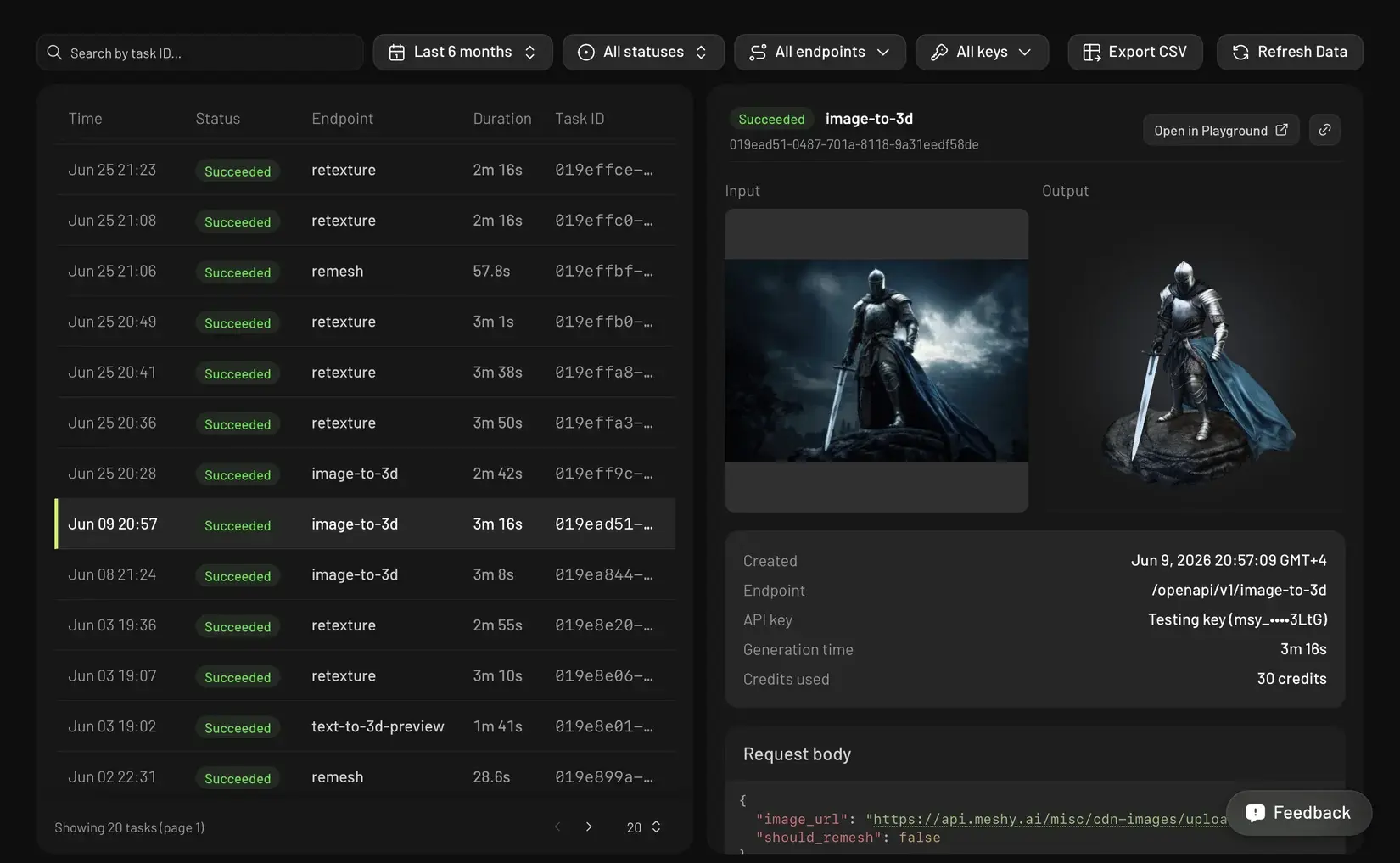
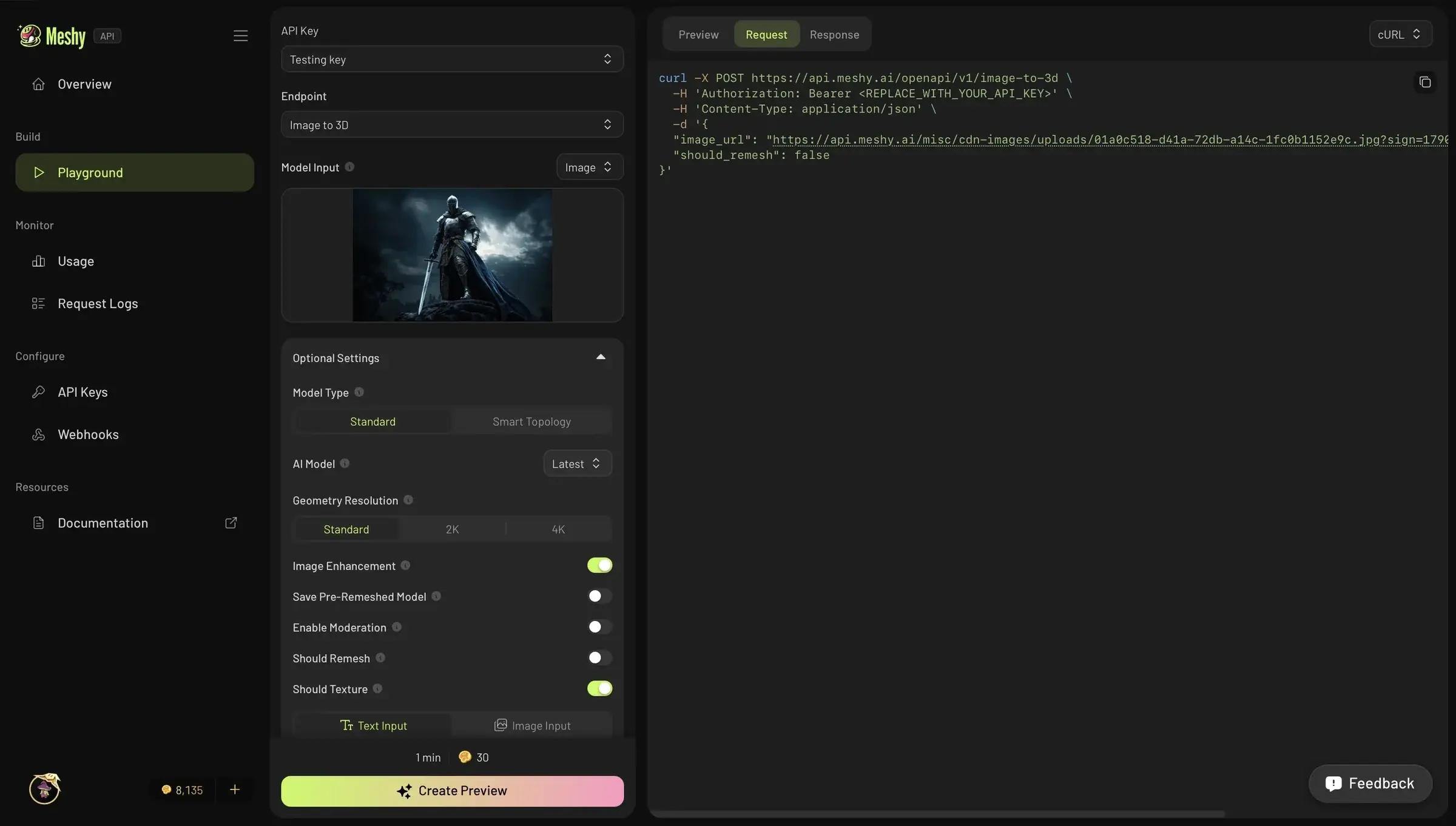
See an exampleTest Meshy API endpoints live in the Playground before you write a line of integration code. Tune a prompt, generate a model, and copy the working request straight into your codebase.

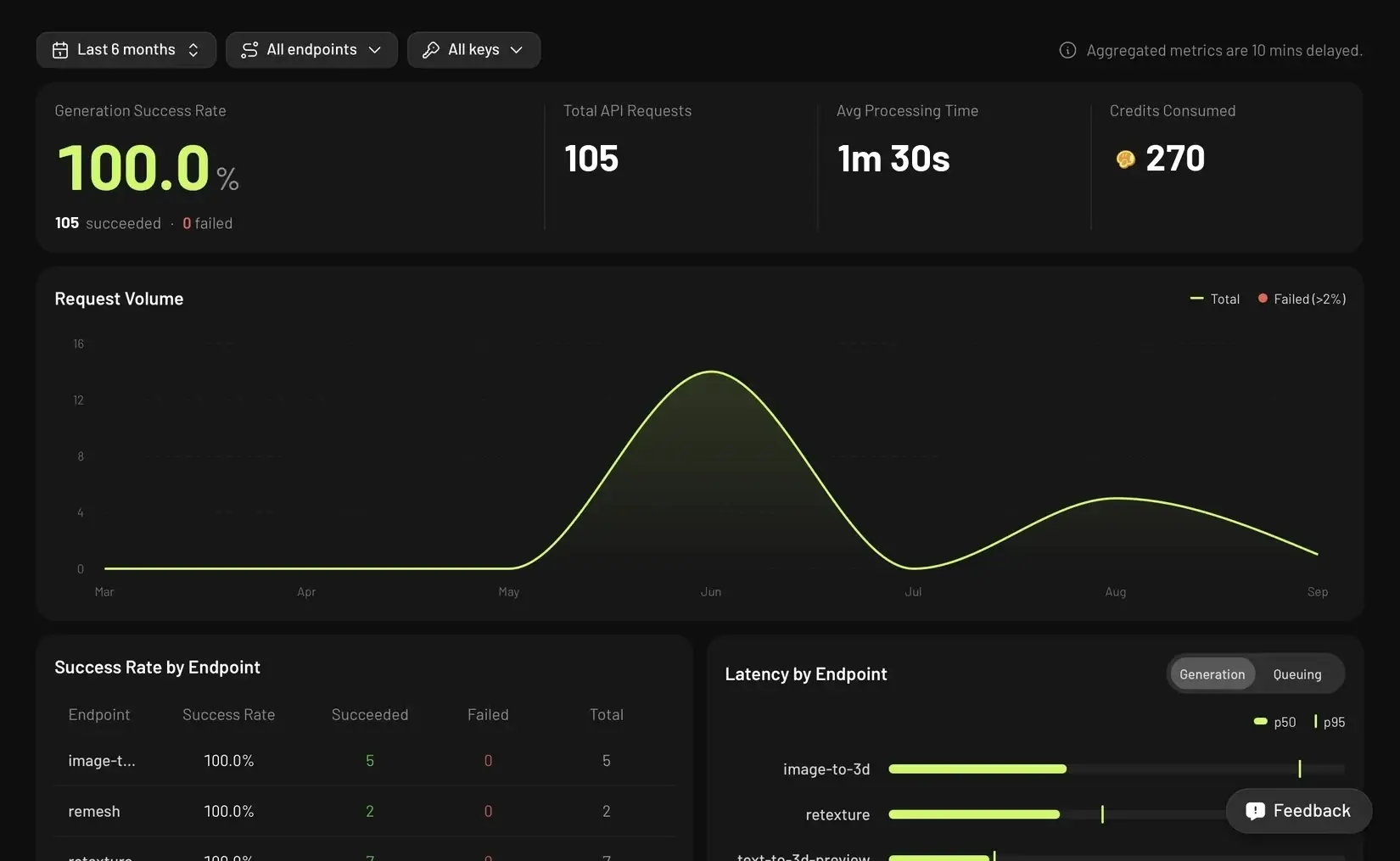
Track success rates, latency, and credit usage across every API call your integration makes. Open any task to inspect its full request, response, and timeline.


Unlock advanced performance, exclusive endpoints, and security you can trust.

Guaranteed highest rate limits, concurrency, and task priority — with 99.9% uptime SLA

Access to enterprise-only API endpoints

Indefinite retention of API-generated assets

ISO/IEC 27001 certified for enterprise-grade information security

SOC 2 Type II compliant for enterprise-grade information security

GDPR compliant for enterprise-grade data protection
From game assets to printable miniatures, all from the same API.


Compare rate limits, concurrency, and access levels across Meshy API tiers.
Simple usage-based pricing, billed in credits — included with every plan, so you only pay for what you generate. See plan pricing for how credits are acquired, or estimate a request with the credit calculator.
Our most capable standard models — the default for new projects.
Generate and edit concept images before taking them to 3D.
3–93–12Production-ready meshes from text, image, or multi-image input.
202020Texture or retexture any mesh — priced by resolution.
101015Optimize topology, convert formats, and resize any mesh.
511Auto-rig and animate characters for game engines.
533D Generation prices cover mesh generation — texture costs are listed under Texturing.
Model series affects 3D Generation only; every other category costs the same across series.
You will need to first create a Meshy account and be on the pro tier or above to use the API. After you log in, you can navigate to the "API" page at the top and you will see a section to create an API key. Please also consult our API docs for more detailed instructions
Every Meshy API task call costs credits, which can be purchased at any time. Credit costs vary by endpoint and model. For example, Image to 3D on Meshy 7 costs 20 credits without texture and 30 with texture (35 for 8K texture). Older models cost less. See the full pricing breakdown for every endpoint.
Should you require a customized solution requiring higher volume API usage, please contact our team, and we can discuss your needs with you.
We have rate limits in place on our API to help create a smooth experience across all our users. Rate limits are important and ensure our service remains safe/sound, grants everyone fair access, and maintains reliable service. Rate limits are measured in 2 ways: requests per second (RPS) and queued tasks. Pro users have a rate limit of 20 RPS and a maximum of 10 queued tasks. Premium users have a rate limit of 20 RPS and a maximum of 30 queued tasks. Ultra users have a rate limit of 20 RPS and a maximum of 100 queued tasks. Studio users have a rate limit of 20 RPS and a maximum of 60 queued tasks. Enterprise users have a rate limit of 100 RPS and a customizable number of queued tasks that defaults to 100. Exceeding limits in API calls will throw a 429 Too Many Requests response from our API. Please see our Rate Limits docs for more details.
API-generated models are kept for 14 days on Studio and for 3 days on other non-Enterprise plans. After this period, API-generated models will be deleted automatically from our servers. We recommend you download and store your models locally if you need them for a longer duration. Enterprise users can retain their assets indefinitely.
No. Your API inputs and generated models are never used for training.
We currently offer plugins for both Blender and Unity. You can find more details about the Blender plugin here and the Unity plugin here.
Your API-generated assets are deleted automatically after 14 days on Studio and after 3 days on other non-Enterprise plans.
No, we do not support CORS requests to our API from other sites.
Yes. Use the API Playground to try endpoints live in your browser: tune prompts, generate models, and copy ready-to-use code before you integrate. Available on Pro and higher.