In the 8th-grade ICT classroom at VITA School, Teacher Noel Nicolaz Godzallez has always held a clear goal: to let students focus on the core creativity of game design, rather than being constrained by complex technical operations. As the instructor responsible for the game development module, he has witnessed too many students abandon their carefully crafted game concepts due to the high barriers of traditional 3D modeling tools.
That all changed when he discovered Meshy. Noel realized this was the key to breaking through teaching bottlenecks and turning students' creativity into reality. He thus decided to formally integrate Meshy into his curriculum, launching a teaching transformation from technical limitation to creative freedom.
Challenges: Four Major Obstacles in Traditional Teaching
Before introducing Meshy, Noel's game development class had long been plagued by four core issues that not only reduced teaching efficiency but also dampened students' creative enthusiasm.
First was the dilemma of time constraints. Traditional 3D modeling software requires extensive learning—mastering basic interfaces and tools alone takes 3-4 weeks, with additional weeks needed to refine modeling skills.
However, Noel's curriculum schedule simply couldn't accommodate such a lengthy learning period. Often, students had just barely grasped the basics of the software when the course moved on to game development, resulting in the awkward situation of not learning enough to apply.
Second was the insurmountable technical barrier. Eighth-grade students had almost no foundational 3D modeling skills. Faced with the complex operational logic of Blender and Maya, they often fell into confusion, not knowing where to start. Even though Noel spent a lot of time explaining tool usage, students still felt frustrated by the technical complexity, ultimately draining their energy on how to use the software rather than how to design a game.
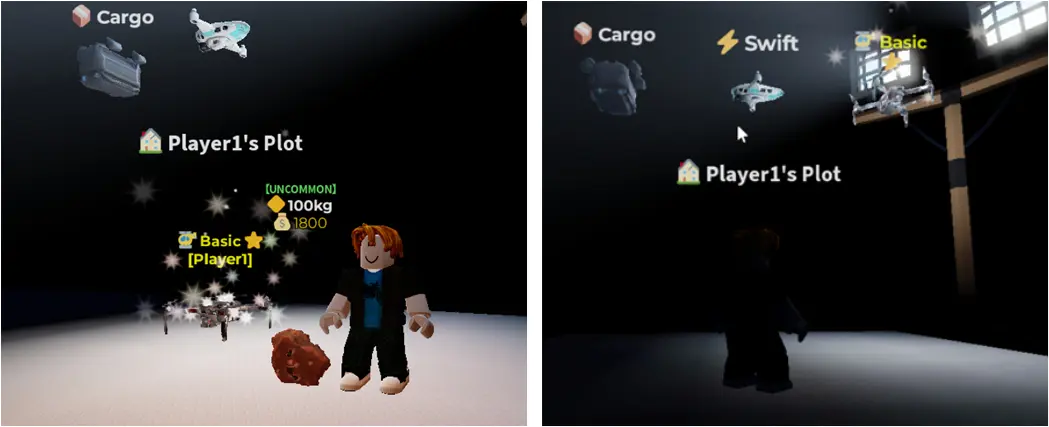
A more pressing issue was the mismatch between asset quality and creativity. To bypass modeling difficulties, students once relied on pre-made assets from the Roblox marketplace. However, these generalized assets often clashed with their game themes—for example, wanting to create a space mining game but failing to find sci-fi-style drone models, or designing a fantasy forest scene only to find that ready-made assets were too cartoonish, undermining their carefully conceived ideas.
Finally, creative limitations became the last straw that crushed students' enthusiasm. The homogeneity of generic assets was severe; no matter how unique a student's idea was, the final game scenes and characters ended up looking similar, failing to showcase personalized design.
This led many students to gradually lose motivation for active exploration. What worried Noel even more was that he had intended for students to master core skills like AI-assisted design and 3D asset integration, but the focus of traditional tool teaching was entirely on technical operations, leaving no time to convey these key concepts.
Breaking Through: How Meshy Precisely Meets Teaching Needs
The emergence of Meshy directly addressed the pain points of traditional teaching tools, resolving Noel's classroom challenges in three core dimensions.
1. Zero-Threshold Learning, Reducing Technical Anxiety
Unlike Blender and Maya, which require a long learning curve of polishing skills for months, Meshy's core text-to-3D logic significantly shortened the learning cycle.
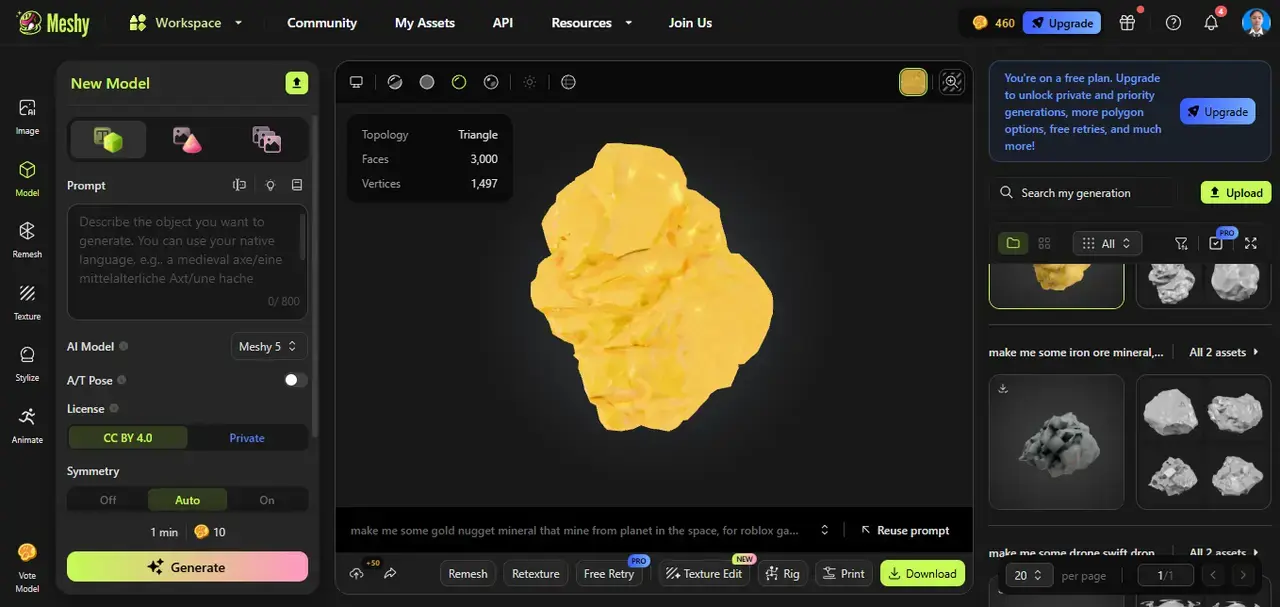
Students only needed one class session to master the basic skills of prompt engineering—such as how to accurately describe "a space drone with blue energy patterns" or "a copper ore with a metallic sheen"—without spending weeks struggling with software interfaces and modeling principles. This allowed students to get started quickly, avoiding frustration from technical complexity and enabling Noel to shift his teaching focus back to game design itself.
2. Leap in Efficiency, Freeing Up Creative Time
Meshy brought a transformative change in asset creation efficiency. In traditional modeling, students spent hours creating a single 3D model that met requirements, often having to restart due to operational errors. With Meshy, a high-quality model could be generated in just 15 minutes.
More importantly, the iteration cost was extremely low—if unsatisfied with a model, students only needed to revise the prompt to quickly generate a new version, eliminating the need for re-modeling. This efficiency gave students more time to refine game logic and optimize scene details, rather than being trapped in asset production.
3. Customized Generation, Restoring Creative Vision
What surprised Noel and his students most was Meshy's customization capability. It completely broke free from the limitations of Roblox's pre-made assets—students could accurately describe their needs based on their game themes to generate "one-of-a-kind" exclusive assets.
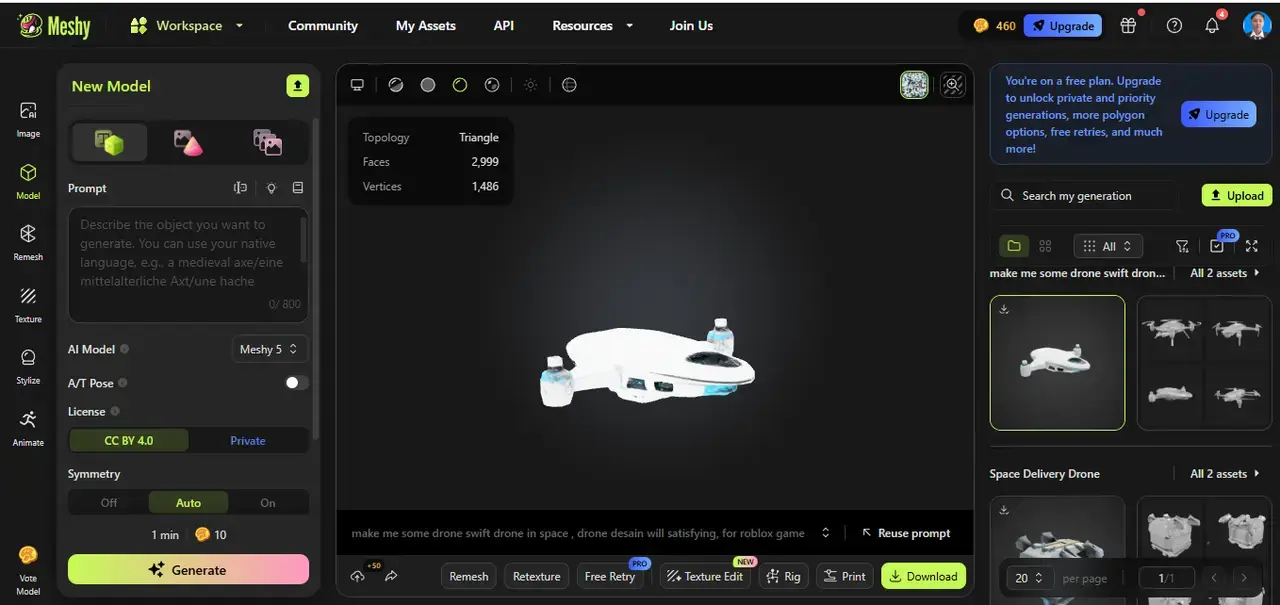
For example, those creating a "space mining" game could generate drones with level distinctions and unique ores from different planets; those designing a "fantasy adventure" game could create magic items and scene elements that fit their worldviews. This "creativity-as-asset" model allowed every student's game concept to be perfectly realized.
Implementation: A Three-Week Progressive Workflow to Integrate Meshy into the Classroom
To help 65 eighth-grade students smoothly adapt to and proficiently use Meshy, Noel designed a step-by-step teaching process that strictly followed the logic of "cognition-practice-application." This ensured deep integration between the tool and teaching objectives, with no omissions or adjustments.
Week 1: Cognitive Introduction—Understanding the Relationship Between AI and Creativity
Noel delivered a special lecture themed "How AI Reshapes the Creative Industry." Instead of directly explaining tool operations, he used cases to demonstrate that AI is not a "replacement for designers" but an "assistant to amplify creativity."
For instance, designers using prompts to guide AI in generating basic models, then making personalized adjustments, ultimately increasing efficiency several times over. This lecture not only helped students establish a correct understanding of AI-assisted design but also sparked their curiosity about Meshy: "So you can make 3D models without learning complex software?"
Week 2: Practical Training—Mastering Core Skills of Meshy
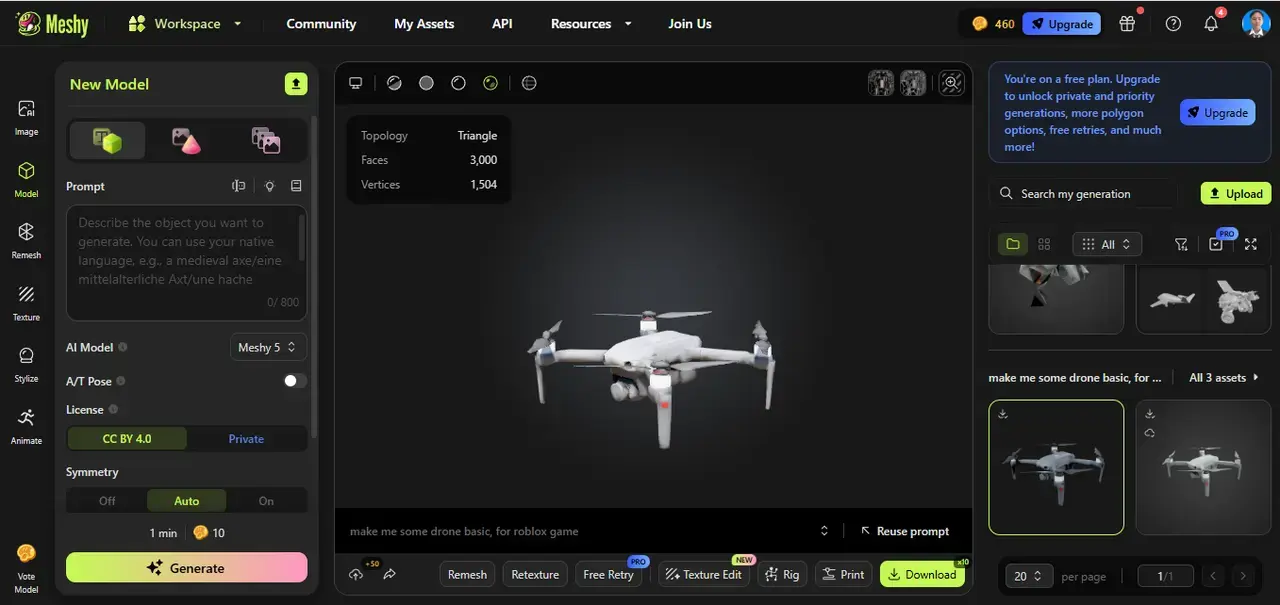
The focus of the second week was "hands-on lab sessions." Noel led students onto the Meshy platform for guided tutorial exercises: from familiarizing themselves with the "New Model" button and setting "Vertices" parameters, to writing precise prompts, to reviewing generated results and using the "Texture Edit" function for minor adjustments.
Each step was guided by the teacher, allowing students to resolve issues immediately. By the end of the week, almost all students could independently generate 3D assets that met basic requirements, with 85% of students feedback that "Meshy is more intuitive than expected."
Week 3: Project Integration—Making Assets Serve Game Creation
In the third week, Noel fully integrated Meshy into students' ongoing Roblox game development projects. Students first sorted out their game themes and listed required asset inventories; then used Meshy to generate corresponding models; finally, they learned asset optimization skills—such as adjusting the number of model polygons to ensure smooth operation in Roblox.
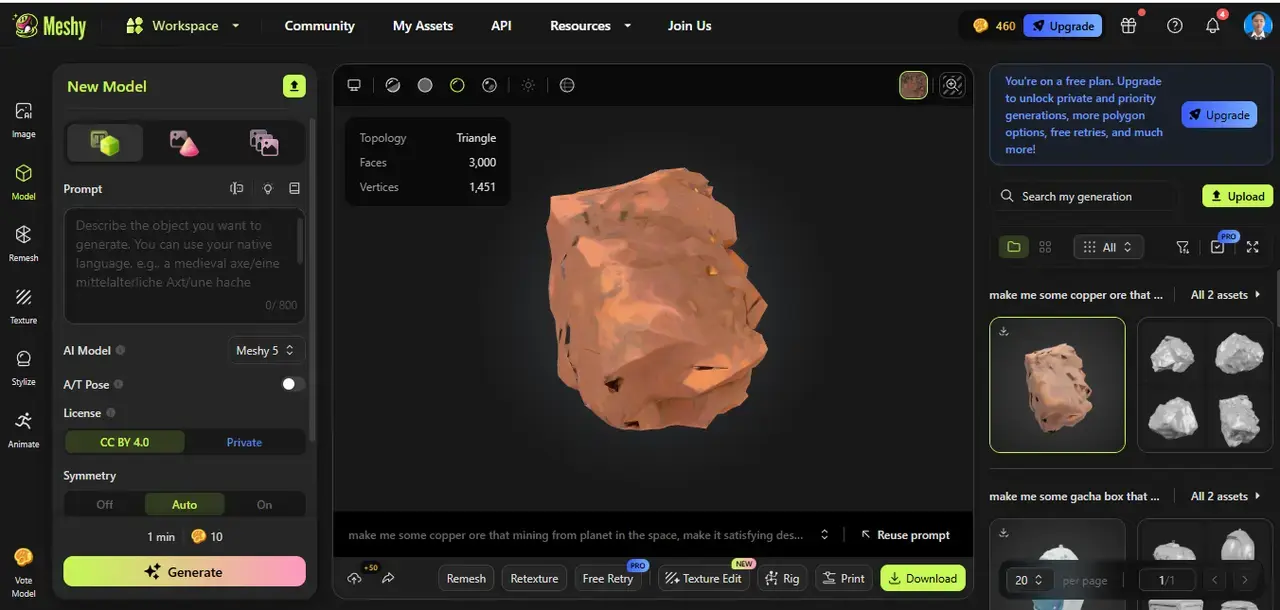
Throughout the process, Noel emphasized immediate application: generated assets were directly placed into game scenes to test compatibility, with further iterations through prompt revisions if issues arose. This closed loop of "creativity→generation→application→optimization" allowed students to truly understand how AI assets serve game design.
"The integration of Meshy is not a simple tool replacement but a combination of 'demonstration→guided practice→immediate application' that elevates students from being able to use the tool to using the tool to realize creativity."
Noel Nicolaz Godzallez, VITA School
Teacher

Outcomes: A Transformation from "Barely Completing" to "Creative Explosion"
After Meshy was integrated into the classroom, students' creative achievements exceeded Noel's expectations, with qualitative leaps in work quality, skill improvement, and learning enthusiasm.
1. Student Works: From "Homogeneity" to "Personalization"
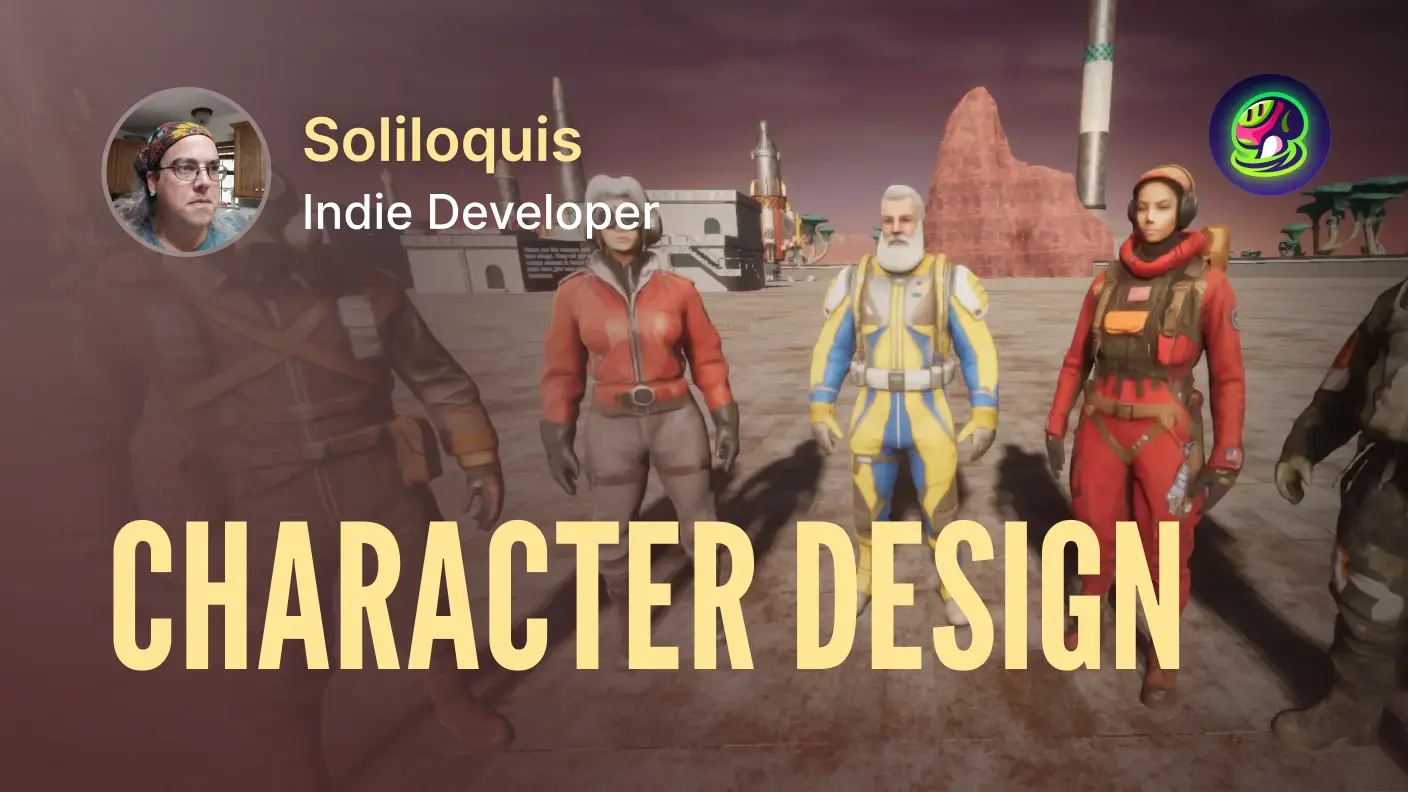
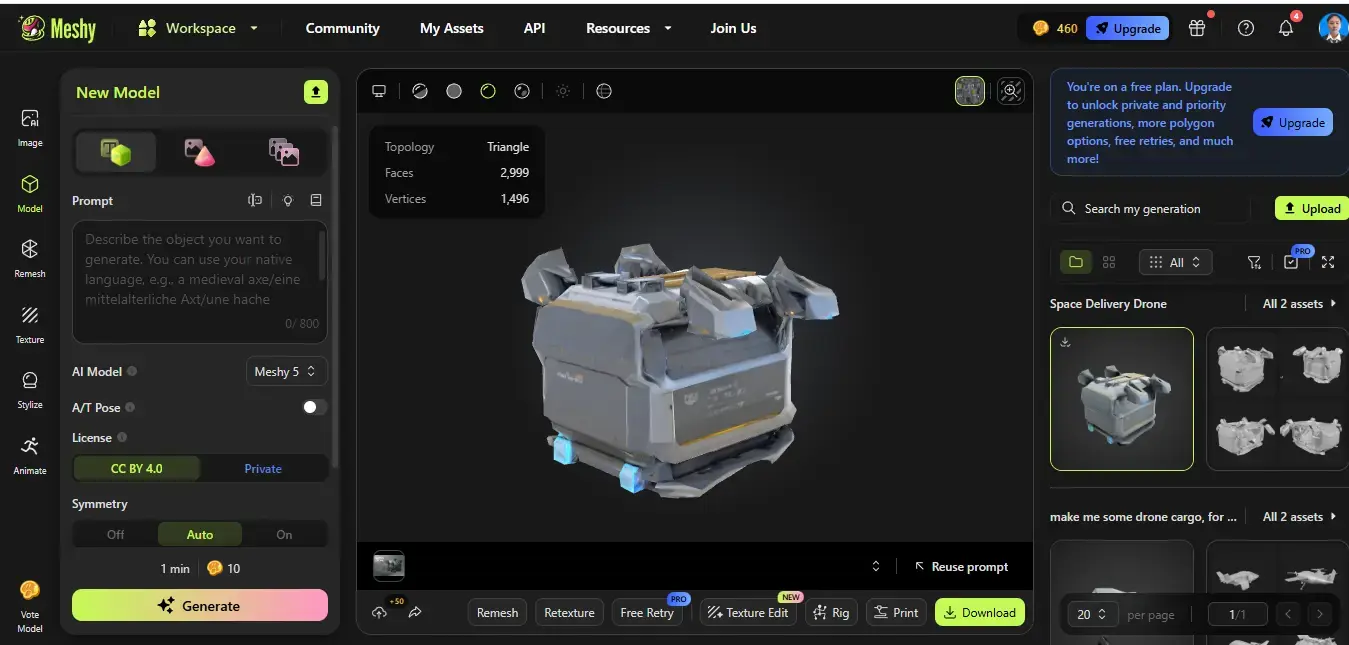
All 65 students successfully created highly themed collections of game assets: some generated 5 drone models (with different colored energy cores) and 3 types of ores (copper, diamond, crystal) for their Space Mining Simulator; others created glowing mushrooms and vine-covered wooden houses for their Fantasy Forest Adventure; still others designed hover cars and neon-lit streets for their Future City Racing game.
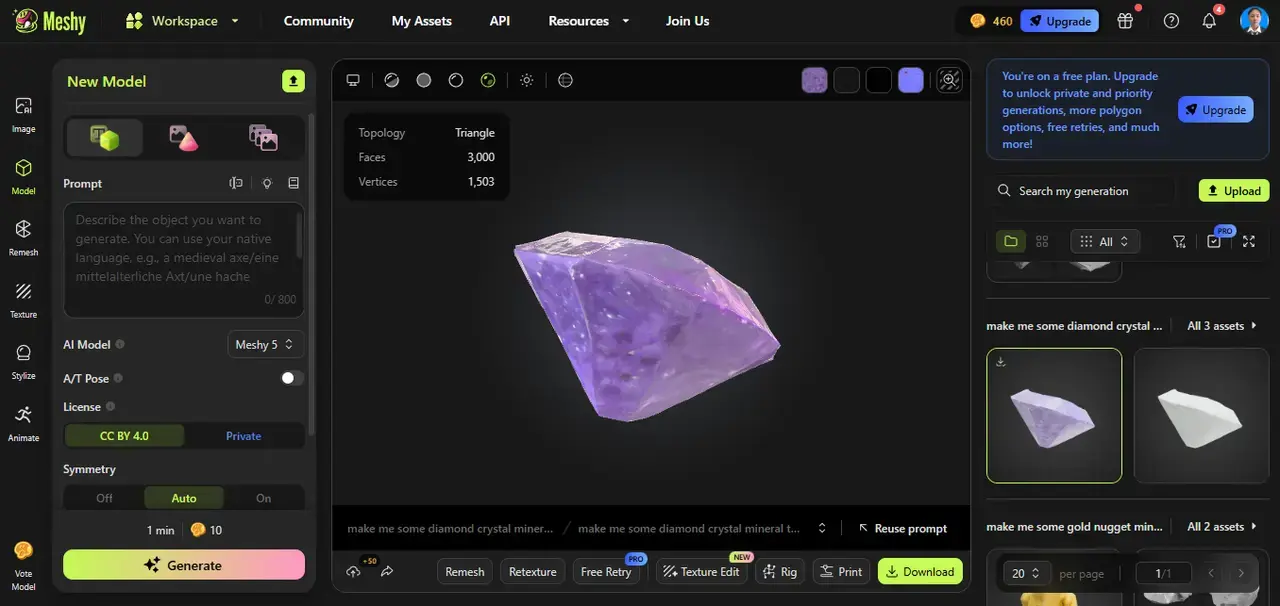
These assets perfectly matched their game concepts, freeing the final game environments from the "template feel" of Roblox and making them unique. Among them, the Space Mining Simulator project stood out—though it was the students' first time developing a Roblox game (and they were still fixing bugs and learning process management), the core gameplay of drone mining→ore exchange→equipment upgrading appeared professional and engaging thanks to the assets generated by Meshy.
2. Student Skills: Mastering "Design Skills for the AI Era"
Beyond their works, students gained several practical skills: they learned AI prompt engineering, being able to optimize generated results by adjusting descriptive details; understood the importance of asset optimization, knowing how to adapt AI models to specific platforms; and most importantly, improved their creative visualization abilities—game scenes that once only existed on paper could now be quickly transformed into 3D models via Meshy and tested in games.
As student Kennedy put it: "Before, I spent 3 hours searching the Roblox marketplace for a mining drone. Now I can generate exactly what I want in 15 minutes, and even upgrade its appearance as the game progresses."
3. Learning Feedback: Dual Improvement in Enthusiasm and Confidence
Student feedback was filled with surprise: 85% of students said Meshy was easy to use from the first try, and they loved the immediate visual feedback when generating models—feeling a great sense of accomplishment when seeing their descriptions turn into 3D models.
Eighth-grader Akiko's comment was representative: "It's like having a 3D artist on my computer! I just need to say clearly what I want, and it makes it. I never have to give up my ideas because I can't model anymore."
What pleased Noel most was that students began actively spending time refining their game concepts—because they knew as long as they have an idea, they can realize it with Meshy. This confidence inspired them to propose more ambitious project plans, such as Interplanetary Mining Alliance and Multiplayer Cooperative Fantasy Quests.
4. Quantitative Results: Double Success in Efficiency and Quality
From a data perspective, the teaching practice was also highly effective: students generated 10 core game assets, with asset creation time reduced from the traditional "hours per asset" to "15 minutes per asset"; the visual quality and originality of projects improved significantly compared to previous years.
"80% of students' works this year showcase unique design styles, compared to only 30% last year."
Noel Nicolaz Godzallez, VITA School
Teacher
Outlook: Let AI Be the "Bridge" for Creative Teaching
Based on this successful practice, Noel is full of expectations for the future teaching application of Meshy and has developed a clear plan.
"Meshy's value extends far beyond generating 3D models."
Noel Nicolaz Godzallez, VITA School
Teacher
First, Meshy will officially become a standard teaching component of the 8th-grade ICT Game Development Module at VITA School, no longer a temporary experiment—because it not only solves technical bottlenecks but also returns teaching to the essence of cultivating creativity and design thinking.
Second, Noel plans to expand AI asset creation teaching to the Advanced ICT Courses for 9th and 10th grades, allowing more students to access this low-threshold, high-creativity design model—for example, using Meshy to generate 3D characters in the 9th-grade Digital Art course and interactive scene assets in the 10th-grade Interaction Design course.
"It is a bridge connecting students' creative ideas and technical implementation. Many students have great game concepts but give them up because they can't model—Meshy lets them stop compromising their creativity for technical reasons."
Noel Nicolaz Godzallez, VITA School
Teacher
He hopes that in the future, more schools will integrate such AI tools into creative teaching, making 3D creation more "accessible" and allowing more students to experience the joy of realizing creativity through technology. He also aims to inspire students to explore interdisciplinary career fields at the intersection of "technology + art + design", such as game designers and AI-assisted artists.
"The meaning of a tool is to let learners focus more on why to create rather than how to create. Meshy has achieved this—and that is its greatest value for teaching."
Noel Nicolaz Godzallez, VITA School
Teacher
Tired of clunky traditional 3D tools? Meshy simplifies it all—zero learning curve, exclusive 3D assets in 15 minutes. Whether teaching or creating, creativity won't be held back by tech. Try Meshy now and unlock efficient creation!